반응형

문서 개정 이력
| 날짜 | 제목 | 상세 |
| 2025-05-19 | 초안 작성 | 최초 메뉴얼 포스팅 |
테크팀 채널 소개
테크팀 채널은 누구나 친구들과 함께 즐길 수 있는 사설서버를 구축하기 위한 강의를 제공하기 위해 만들어졌습니다.
아래와 같은 다양한 공식 자료를 확인하실 수 있습니다.
| 제목 | 링크이동 |
| 테크팀 유튜브 채널 | 링크이동 |
| 테크팀 디스코드 | 링크이동 |
| 테크팀 매뉴얼 정리 | 링크이동 |
유튜브 가이드 영상
Step1 : 공유기 포트포워딩
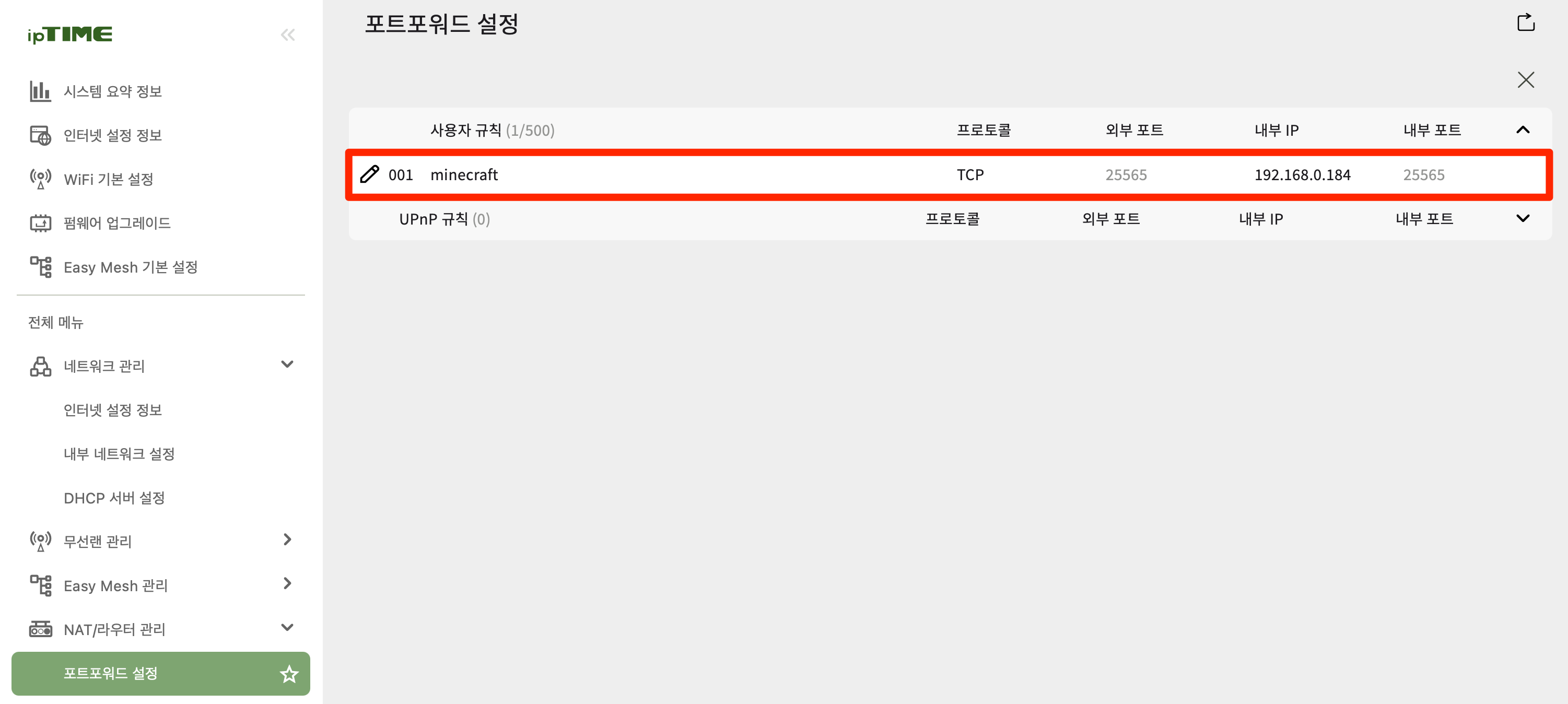
자신의 공유기에 접속하여 TCP 25565번을 서버로 사용할 내부 PC IP로 연결합니다
IPTime이 아닌 다른 공유기 브랜드별 포트포워딩 유튜브 자료
| 번호 | 브랜드 | YouTube 링크 |
| 1 | IP Time 공유기 | 링크이동 |
| 2 | KT 공유기 | 링크이동 |
| 3 | TP Link 공유기 | 링크이동 |
| 4 | Next 공유기 | 링크이동 |
| 5 | SK 브로드밴드 공유기 | 링크이동 |
| 6 | LG U+ 공유기 | 링크이동 |
| 7 | ASUS 공유기 | 링크이동 |
Step2 : 윈도우 방화벽 개방
PowerShell을 '관리자권한'으로 실행하여 아래 명령어를 수행 합니다
New-NetFirewallRule -DisplayName "Minecraft" -Direction Inbound -LocalPort 25565 -Protocol TCP -Action Allow
Step3 : 자바 다운로드 + 설치
선호하는 사이트에서 자바 JDK를 다운로드 후 설치 합니다.
| JDK 제공처 | 버전 | 링크 이동 |
| 오라클 JDK | ORACLE JDK 17 | 링크이동 |
| 아마존 Corretto | Amazon JDK 17 | 링크이동 |
| OpenJDK | OpenJDK 17 | 링크이동 |
Step4 : DeceasedCraft 설치
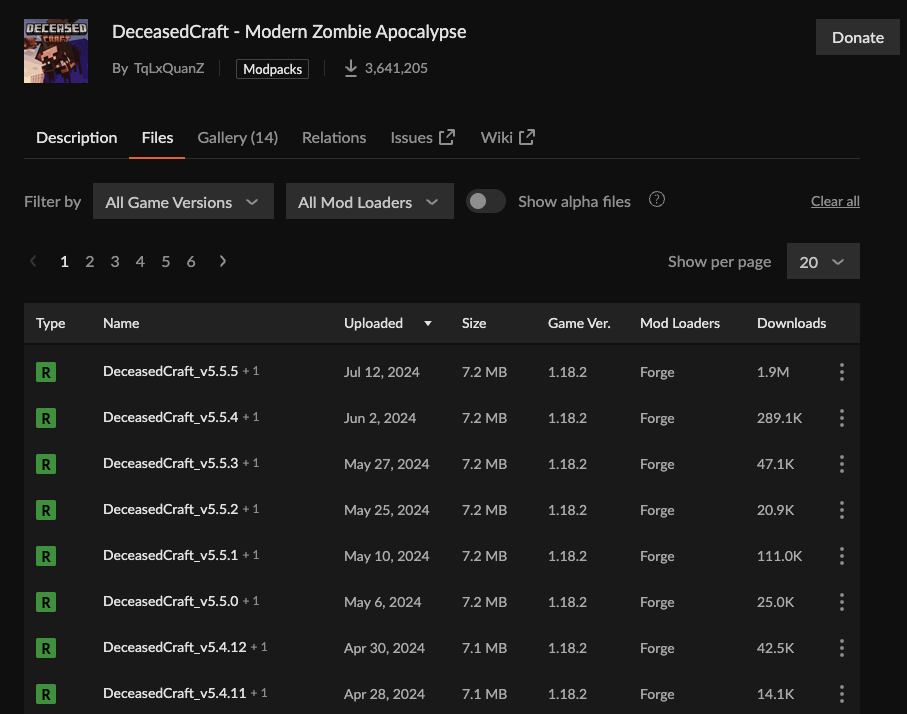
Curseforge Mod Pack 공식 링크로 이동 : 링크이동
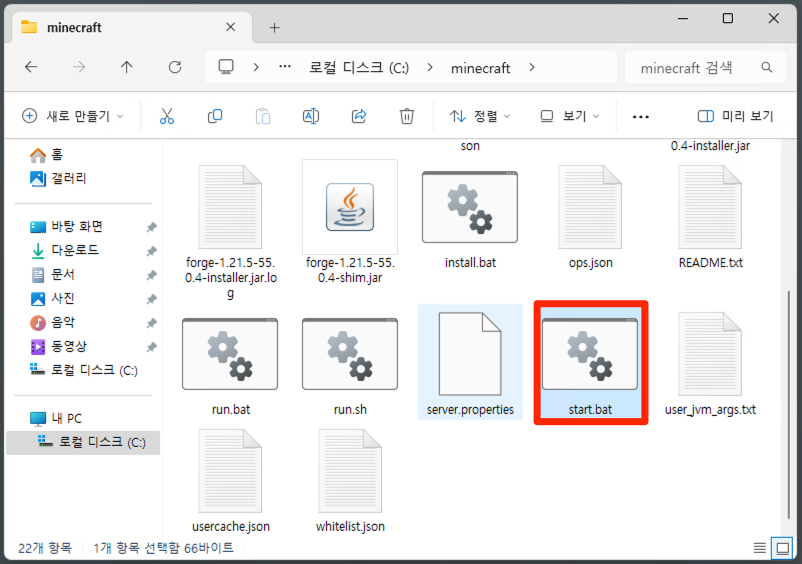
Inital Setup을 위한 install.bat 파일 생성
## 명령어 양식 ##
java -jar <jar파일명>.jar --installServer


## 명령어 사용의 예 ##
java -jar forge-1.18.2-40.2.4-installer.jar --installServer
메모리 수정 → 자신의 서버 PC 물리 메모리를 확인하여 적정량을 할당 합니다.
"user_jvm_args.txt" 파일을 메모장으로 엽니다.
# Xmx and Xms set the maximum and minimum RAM usage, respectively.
# They can take any number, followed by an M or a G.
# M means Megabyte, G means Gigabyte.
# For example, to set the maximum to 3GB: -Xmx3G
# To set the minimum to 2.5GB: -Xms2500M
# A good default for a modded server is 4GB.
# Uncomment the next line to set it.
-Xmx6G -Xms4G <------ Xmx(최대메모리) Xms(최소메모리)를 PC 환경에 맞게 수정함
Step5 : 게임 엔진 구동
run.bat 파일을 수행합니다. (run.sh은 리눅스에서 사용하는 파일이므로 삭제해도 무관 합니다)

Step6 : 게임 접속


반응형
'게임 서버구축 메뉴얼 > 마인크래프트' 카테고리의 다른 글
| [마인크래프트] DeceasedCraft 모드팩서버 : 오라클클라우드 (0) | 2025.05.26 |
|---|---|
| [마인크래프트] DeceasedCraft 모드팩서버 : 구글클라우드 (0) | 2025.05.19 |
| [마인크래프트] 패브릭 모드 서버구축 1.21.5 : 시놀로지나스 (0) | 2025.05.11 |
| [마인크래프트] 패브릭 모드 서버구축 1.21.5 : 오라클클라우드 (0) | 2025.05.07 |
| [마인크래프트] 패브릭 모드 서버구축 1.21.5 : 구글클라우드 (0) | 2025.05.02 |